
So, you’ve decided to make music. You’ve heard the grooves, watched a few YouTube tutorials, and now you’re ready to open your DAW and hit record.
But here’s the thing: your first beat won’t be perfect, and it doesn’t need to be.
It just needs to exist.
This guide breaks down the process step by step so you can create your first beat confidently, whether you’re using Ableton Live, FL Studio, Studio One, or any other DAW.
Choose your DAW
Before you make a single sound, you need a digital audio workstation (DAW) as your virtual studio.
Some of the best for beginners are:
- FL Studio: great for hip-hop, trap, and EDM beatmaking.
- Ableton Live: ideal for loop-based production and live creativity.
- Studio One: intuitive, modern layout and fast workflow.
- Logic Pro X: perfect for Mac users with tons of stock sounds.
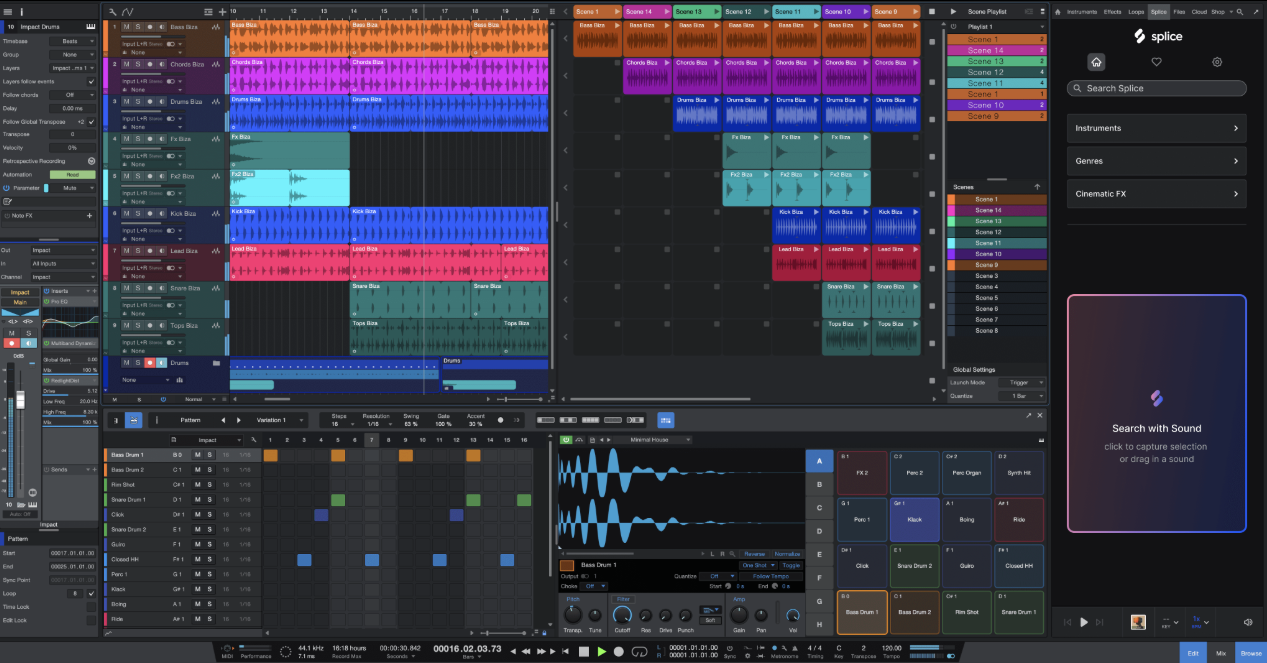
👉 Check out our full guide: Which DAW Should You Use?
Don’t overthink this step. Download the free trials, play with them, and see which one feels natural. The right DAW is the one you don’t have to fight to make music.
Set the tempo and feel the pulse
Every genre has its groove, and it starts with tempo (BPM).
Here are a few quick references:
- Hip-Hop: 80–100 BPM
- Trap: 130–150 BPM (often half-time feel)
- Pop: 100–120 BPM
- House: 120–128 BPM
- Drum & Bass: 160–180 BPM
Choose one, set it in your DAW, and tap along until it feels right. Your tempo sets the vibe: chilled, groovy, or high-energy.
Start with the drums
Drums are the heartbeat of any beat. Start simple:
- Add a kick on beats 1 and 3.
- Place a snare or clap on beats 2 and 4.
- Add hi-hats in between to create groove.

Experiment with swing, velocity, and spacing; a “human” groove feels better than a robotic one.
Tip: try layering two kicks or claps together for depth, but make sure they complement each other (not clash in phase or frequency). If you’re not sure where to start, check free sample packs from Splice, Cymatics, or LANDR Samples.
Add the melody and build emotion
Once you’ve got rhythm, it’s time to bring in the melody. Even a simple two-chord loop can carry your entire track.
You can start with:
- A soft pad to set the mood
- A synth lead for catchy hooks
- A piano or guitar sample for organic feel
If music theory isn’t your strength, use your DAW’s scale or chord tools: FL Studio, Ableton, and Cubase all have built-in helpers.
Pro tip: stick to one key for now (C minor or A minor are great starting points). Keep it simple, then loop it.
Bass: the glue between kick and melody
Your bass line connects the drums to the melody.
Follow your kick pattern and emphasize the root note of your chords.

You can:
- Use a synth bass for modern genres.
- Try an 808 sample for trap or hip-hop.
- Or use a live bass plugin for more natural tones.
The golden rule: if your room vibrates too much, turn it down. Clean, controlled low end > muddy bass chaos.
Arrange your beat to give it structure
A great beat isn’t just a loop. It tells a story.
Here’s a classic layout:
- Intro (bars 1–8) – simple drums or melody.
- Verse (8–16 bars) – main groove builds.
- Chorus (8–16 bars) – add layers, hooks, and energy.
- Bridge / Breakdown – change or remove elements for contrast.
- Outro – let it fade or strip it back.
Use automation to add dynamics like filter sweeps, volume rises, reverb tails and small moves that make the track evolve.
Mix the essentials
Mixing is where your beat comes to life. But for beginners, it’s about balance, not perfection.
Focus on three things:
- Volume balance: can you hear each part clearly?
- Panning: give space (e.g., hi-hats slightly right, keys slightly left). You can try this simple pan plugin from Acustica Audio, FIRE THE PAN
- EQ: remove unnecessary low-end from non-bass instruments.
A light touch of compression with TIGER MIX on drums and reverb with RICE on melodic elements can add polish.
Keep it subtle.
Want a tip from the pros? Check your mix on different devices: laptop, earbuds, car speakers. If it sounds good everywhere, you’re close, and SIENNA is the best tool out there for this.

Export and listen
When your track feels good, export it as a high-quality WAV (and MP3 for sharing).
Then… step away.
Give your ears a rest and come back the next day. You’ll immediately hear what’s working and what’s not!
Share, learn, repeat
Upload your beat. Get feedback.
Whether it’s SoundCloud, YouTube, or small communities, feedback helps you grow faster than any plugin.
Remember: every great producer started with a first beat that wasn’t great.
What matters is that they finished it and then made another one.
Bonus: keep your workflow organized
Once you start making more beats, organization becomes key:

- Label your tracks properly (Kick, Snare, Pad, Bass, etc.).
- Save templates for your favorite setups.
- Back up your projects on a cloud platform built for producers, where you can store, comment, and share high-quality audio.
If you’re looking for one, try Sienna Sphere webapp, designed to manage your creative workflow from start to finish.
Final thoughts
Producing your first beat isn’t about perfection, it’s about motion. The moment you finish one, you’ve already done what most aspiring producers never do.
So start simple.
Loop that drum groove.
Add that bassline.
And remember: the best way to learn how to make beats… is to keep making them.
